

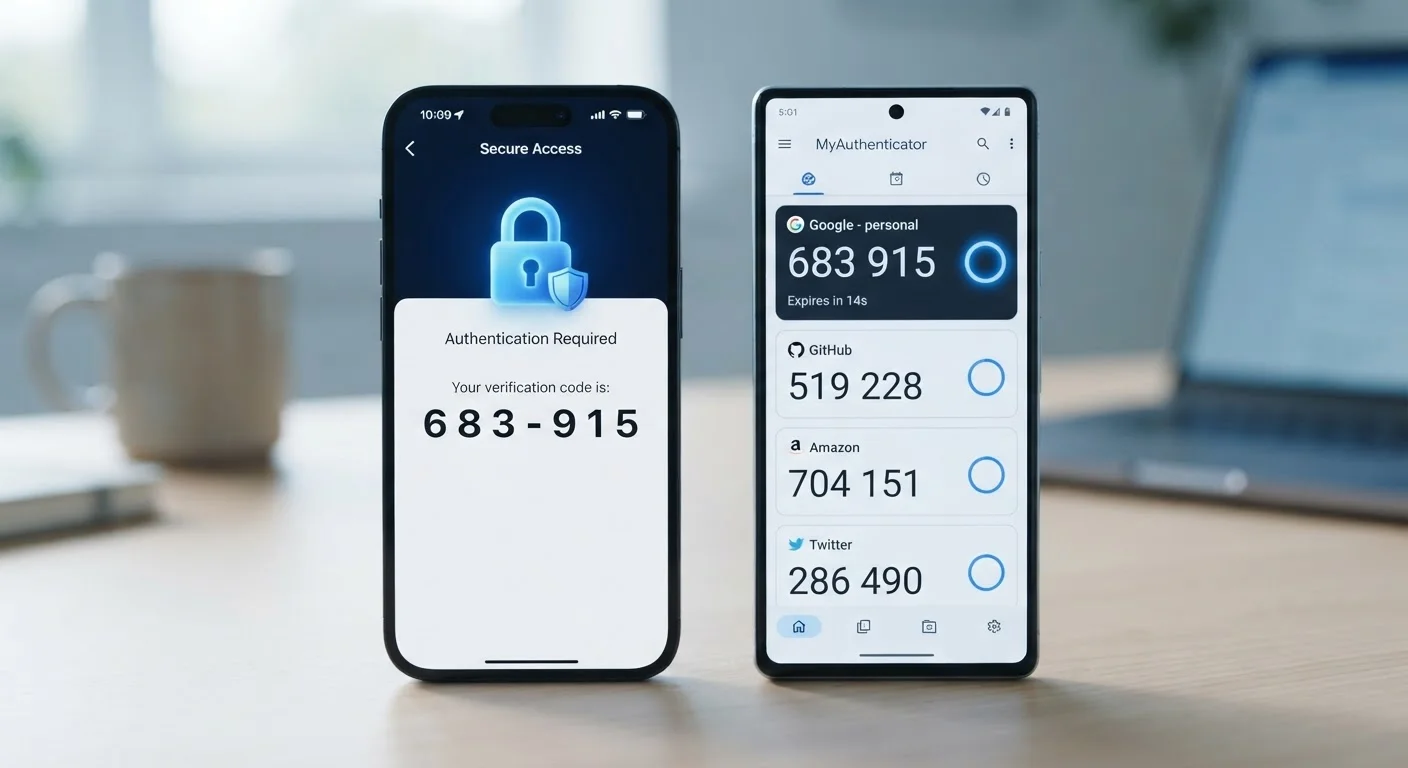
How Each Method Actually Works
When you log in with two-factor authentication (2FA) - a security step that requires both your password and a temporary code - the method used to deliver that code matters more than most people realise. For a broader look at why 2FA matters in the first place, see our guide to two-factor authentication.
SMS codes work by having the website or app send a six-digit number to your mobile phone number via text message. You enter that code to complete your login. The code travels across the cellular network, passes through your carrier, and arrives in your messages app - a process that involves several external systems.
Authenticator apps take a different approach entirely. An app installed on your phone - such as a dedicated authentication application - uses a shared secret key set up once during account registration. From that key and the current time, the app mathematically generates a fresh six-digit code every 30 seconds. No text message is ever sent. The code never travels across a network; it exists only on your device.
| Criterion | SMS Codes | Authenticator Apps |
|---|---|---|
| How codes are delivered | Text message via cellular network | Generated locally on your device |
| Vulnerable to SIM swapping | Yes | No |
| Works without cellular signal | No | Yes |
| Setup complexity | Very easy - no app needed | Easy - one-time QR scan per account |
| Recovery if phone is lost | Easier - tied to phone number | Requires saved recovery codes |
| Overall security level | Good - much better than no 2FA | Stronger - removes network vulnerabilities |
The Real Security Difference
The gap in protection between these two methods comes down to one key question: what can an attacker intercept or manipulate?
SMS codes depend on your phone number remaining in your control. A technique called SIM swapping - where a criminal convinces your carrier to transfer your number to a SIM card they own - can reroute your text messages entirely without touching your phone. Once they have your number, they receive your verification codes. Carriers have added safeguards, but SIM swap fraud remains an active threat, particularly for accounts with high value.
Authenticator apps remove the phone-number vulnerability entirely. Because codes are generated locally on your device using a time-based algorithm, there is no message to intercept and no number to hijack. An attacker would need physical access to your unlocked phone to obtain a working code.
It's worth being clear: SMS verification is still far better than no second factor at all. The vast majority of account takeovers target people with no 2FA enabled whatsoever. Enabling any form of 2FA dramatically raises the effort required to compromise your accounts. See our personal online security audit checklist for a broader look at your account settings.
80%+
Of hacking-related breaches involve compromised credentials
According to Verizon's Data Breach Investigations Report, the large majority of hacking-related breaches exploit stolen or weak passwords - underscoring why adding any second factor matters.
99.9%
Of automated account attacks blocked by MFA
Microsoft has reported that enabling multi-factor authentication blocks the overwhelming majority of automated credential-stuffing and password-spray attacks.
Practical Considerations: Setup, Usability, and What to Do Next
Many people assume switching to an authenticator app is technically complicated. In practice, it usually takes under five minutes per account. Most major platforms - including email providers, financial institutions, and social media sites - support authenticator apps in their security settings. You scan a QR code once, and the account is linked.
One genuine consideration: if you lose your phone, you'll need recovery codes or a backup method to regain access. When you enable an authenticator app, most services provide one-time recovery codes - store these somewhere safe, such as a printed copy in a secure location.
SMS verification, by contrast, is easier to recover from if you change phones, since it's tied to your phone number. However, that same simplicity is what makes it easier for attackers to exploit.
Good account security doesn't end with your verification method. Recognising phishing attempts is equally important, since even a strong 2FA method can be undermined if you're tricked into entering a code on a fake site. For device-level protection, our article on keeping everyday devices secure covers the habits that support your overall security.
The practical recommendation is straightforward: if your most important accounts - email, banking, work logins - support authenticator apps, enabling them there first gives you the most meaningful security improvement for the least effort.


