

What a Smart Plug Actually Is
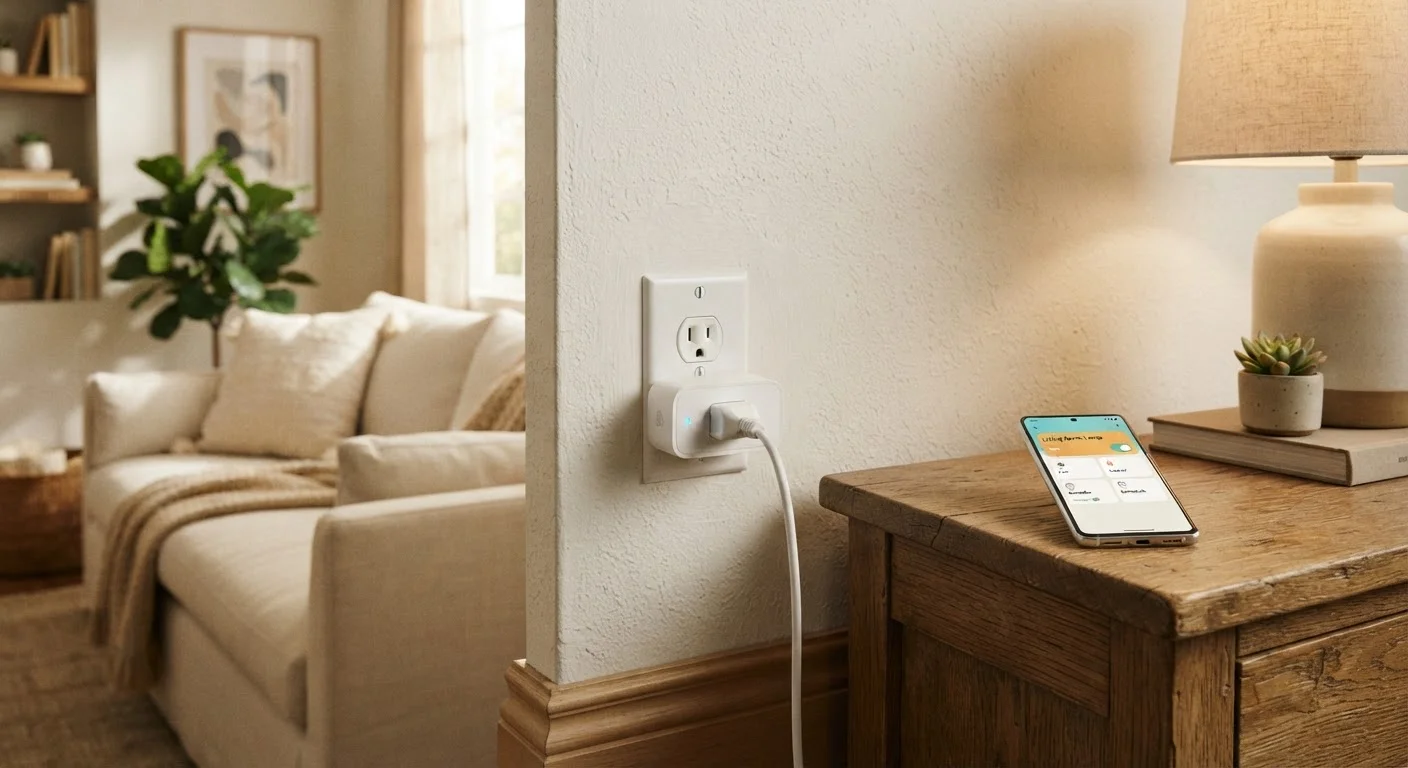
A smart plug is a small adapter that fits between a standard wall outlet and whatever device you're powering. To your lamp or coffee maker, it looks like a normal outlet. To you, it's a remotely controllable switch you can operate from a phone app, a voice assistant, or an automated schedule - without touching the device itself or the wall.
That's really the whole concept. There's no rewiring, no electrician, and no complex installation. You plug it in, connect it to your home Wi-Fi through an app, and the outlet gains a new set of capabilities. For anyone curious about home automation, smart plugs are typically the most approachable starting point. See also our beginner's guide to building a smart home for a bigger-picture look at where to begin.
Smart plug
A device that fits into a standard wall outlet and adds remote control, scheduling, and automation features to whatever is plugged into it.
2.4 GHz Wi-Fi
A common wireless frequency band that most home routers broadcast. It has longer range than 5 GHz but slightly slower speeds, and it's what most smart plugs use to connect.
Relay switch
An internal component inside a smart plug that physically opens or closes the electrical circuit to turn a connected device on or off.
Energy monitoring
A feature on some smart plugs that measures and displays how much electricity a connected device is drawing, often shown in watts or kilowatt-hours.
Standby power
The small amount of electricity a device consumes even when it's not actively in use - sometimes called 'vampire draw.' Smart plugs can cut standby power by switching devices fully off.
Voice assistant
A software service - accessed through a smart speaker or display - that responds to spoken commands and can relay those commands to compatible smart home devices.
How Smart Plugs Work
Inside a smart plug is a small radio - usually a Wi-Fi chip - and a relay switch that can open or close the electrical circuit on command. When you tap a button in the plug's companion app, the command travels from your phone to the internet, reaches the plug's cloud service, and the plug responds by physically flipping that internal switch.
This is why a working Wi-Fi connection matters. Most consumer smart plugs connect to standard 2.4 GHz Wi-Fi networks. Some newer models also support 5 GHz. If your router only broadcasts one band, make sure the plug supports it before setting up. Your home network's router and modem play a direct role in whether a smart plug stays reliably connected.
Many plugs also integrate with voice assistants, which lets them receive commands through a smart speaker or display in your home. The plug doesn't listen on its own - commands go through the voice assistant's service, which then communicates with the plug. This is a common point of confusion that our smart home myths article addresses in detail.
What You Can Do With One
The obvious use is turning things on and off remotely - handy when you're in bed and realize you left a lamp on downstairs. But scheduling is often more valuable in daily life. You can set a lamp to turn on at sunset and off at 11 p.m. automatically, or have a coffee maker start before your alarm goes off.
- Schedules and timers: Automate devices based on time of day, sunrise/sunset, or recurring patterns.
- Remote control: Turn devices on or off from anywhere using your phone.
- Voice control: If paired with a compatible voice assistant, control plugged-in devices with spoken commands.
- Energy monitoring: Some smart plugs display real-time wattage and track energy usage over time - useful for identifying devices that quietly run up your electricity bill.
- Away mode simulation: Randomly cycle lights while you're traveling to give the appearance the home is occupied.
Start With One or Two Plugs
Rather than buying a multipack right away, try a single smart plug on one lamp or appliance first. Living with it for a few weeks will tell you whether the features fit your habits before you scale up. Most people discover their preferred use cases through real daily use, not pre-planning.
Things to Know Before You Buy
Not every smart plug works with every setup, and a few practical details are worth checking in advance.
Wi-Fi band compatibility: Confirm whether your router broadcasts 2.4 GHz, 5 GHz, or both, and match that to the plug's supported bands. Most plugs support 2.4 GHz; fewer support 5 GHz.
Voice assistant compatibility: If you use a specific voice assistant ecosystem, verify the plug works with it. Not all assistants work with all plug brands.
Wattage rating: Every smart plug has a maximum load rating, measured in watts or amps. Plugging in a device that draws more power than the plug can handle is a safety hazard. Check the label, and err on the side of caution with high-draw appliances.
Physical size: Some smart plugs are bulky enough to block the second outlet on a duplex wall plate. Look for compact or angled designs if outlet space is limited.
If you're thinking about building out a broader smart home setup, it's worth understanding the trade-offs of sticking to a single platform versus mixing brands. Our article on smart home ecosystems walks through both sides honestly.
Don't Exceed the Wattage Rating
Every smart plug has a maximum wattage it can safely handle - typically printed on the body or listed in the specs. Space heaters, window air conditioners, and some kitchen appliances can exceed this limit. Using an overloaded plug creates a fire and safety risk. If you're unsure about a device's draw, check its label or manufacturer documentation before connecting it.
Are Smart Plugs Worth It?
For most people, smart plugs deliver genuine convenience at low complexity. They don't require professional installation, they're reversible - unplug and you're back to normal - and they work with devices you already own. That makes them a low-risk way to test whether home automation actually fits your lifestyle before committing to more involved devices.
The realistic limitations are that they only control power - they can't dim a lamp or adjust a fan speed - and cloud-dependent features can fail if the manufacturer's service changes or goes offline. These are real trade-offs to weigh, alongside the broader considerations covered in our guide to smart home device trade-offs.
If automating a lamp, managing standby power draw, or simply gaining remote control over a device sounds useful to you, a smart plug is likely to earn its keep. If you're indifferent to those things, there's no pressure to add one - home technology should solve a problem you actually have.


